
VISBOOM

What is VISBOOM?
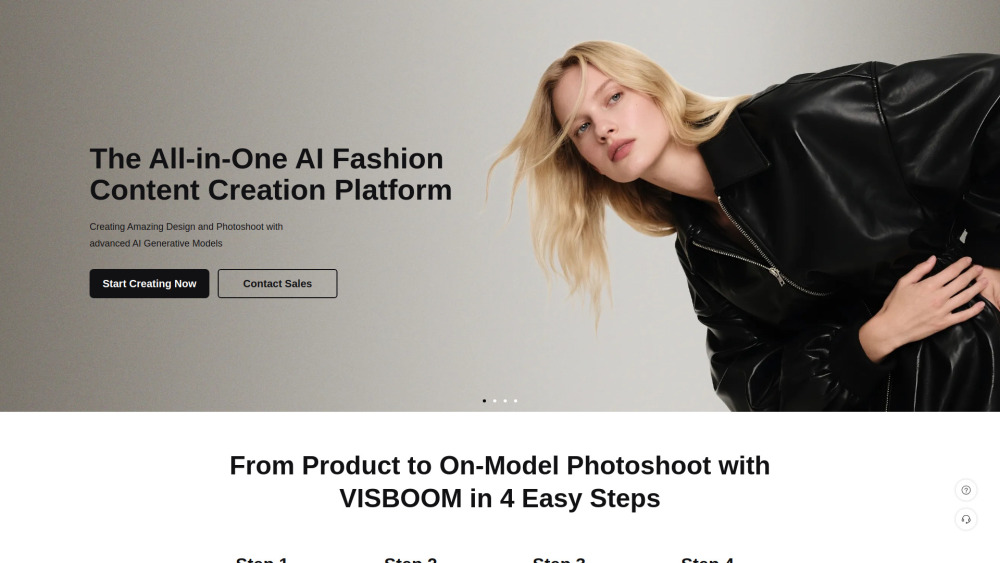
VISBOOM: The All-in-One AI Creative Studio for E-commerce Visboom eliminates the need for expensive photoshoots by combining over 10 powerful AI tools into one platform. Whether you are a fashion brand or a general product seller, our generative workflows allow you to create professional visuals and videos in minutes. Experience how Visboom transforms your content creation: 1. For Fashion & Apparel Sellers Scenario: Turn a single ghost mannequin shot into a dynamic, full-model video campaign. The workflow begins by transforming your basic clothing photo into a realistic human model using Image to Image or AI Model Swap. Once you have the perfect model, you can instantly adjust their posture with AI Pose Swap to showcase the fabric from multiple angles. Next, apply the AI Clothes Changer (or AI Shoe Try On) to fit your specific product onto the model with photorealistic texture and lighting. To localize the look for different markets, simply use AI Face Swap. Finally, take your best static result and animate it into an engaging social media clip using Image to Video. 2. For General Product Sellers Scenario: Transform a simple white-background product photo into high-converting lifestyle imagery. Start by designing a unique, on-brand background or scene from scratch using Text to Image. Then, seamlessly integrate your actual product into this generated environment using Image to Image, replacing generic placeholders with your real merchandise. This fluid process allows you to rapidly generate diverse marketing assets—from elegant "Still Life" compositions to "Hand-held" perspective shots—all derived from a single product image. Essential Editing Suite To ensure every image is pixel-perfect, the platform also includes an AI Background Remover for instant cutouts and an AI Image Upscaler to restore high-resolution details to any asset. Pricing Freemium model. Sign up now to receive 200 Free Credits and start creating immediately.
How to use VISBOOM?
1. For Fashion & Apparel Sellers Scenario: Turn a single ghost mannequin shot into a dynamic, full-model video campaign. The workflow begins by transforming your basic clothing photo into a realistic human model using Image to Image or AI Model Swap. Once you have the perfect model, you can instantly adjust their posture with AI Pose Swap to showcase the fabric from multiple angles. Next, apply the AI Clothes Changer (or AI Shoe Try On) to fit your specific product onto the model with photorealistic texture and lighting. To localize the look for different markets, simply use AI Face Swap. Finally, take your best static result and animate it into an engaging social media clip using Image to Video. 2. For General Product Sellers Scenario: Transform a simple white-background product photo into high-converting lifestyle imagery. Start by designing a unique, on-brand background or scene from scratch using Text to Image. Then, seamlessly integrate your actual product into this generated environment using Image to Image, replacing generic placeholders with your real merchandise. This fluid process allows you to rapidly generate diverse marketing assets—from elegant "Still Life" compositions to "Hand-held" perspective shots—all derived from a single product image. Essential Editing Suite To ensure every image is pixel-perfect, the platform also includes an AI Background Remover for instant cutouts and an AI Image Upscaler to restore high-resolution details to any asset.
VISBOOM's Core Features
AI Clothes Changer
AI Model Swap
AI Background Remover
AI Image Upscaler
AI Pose Swap
Image to Video
Text to Image
Image to Image
VISBOOM's Use Cases
Turn a single ghost mannequin shot into a dynamic, full-model video campaign.
Transform a simple white-background product photo into high-converting lifestyle imagery.
To ensure every image is pixel-perfect, the platform also includes an AI Background Remover for instant cutouts and an AI Image Upscaler to restore high-resolution details to any asset.
FAQ from VISBOOM
What is a "Credit"?
Is there a free trial available?
How long are my credits valid?
Can I get a refund if I don't use all my credits?
How do I prepare clothing images for the AI clothing generator?
VISBOOM Support Email & Customer service contact & Refund contact etc.
Here is the VISBOOM support email for customer service: [email protected] . More Contact, visit the contact us page(https://www.visboom.com/ContactUs)
VISBOOM Company
VISBOOM Company name: VISBOOM .
VISBOOM Company address: .
More about VISBOOM, Please visit the about us page(https://www.visboom.com/about) .
VISBOOM Login
VISBOOM Login Link: https://www.visboom.com/login
VISBOOM Sign up
VISBOOM Reviews (0)
VISBOOM Pricing
500credits
$2.9
Credit available for 1 year
4000 Credits
$99.9
Credit available for 1 year
20000 Credits
$399.9
Credit available for 1 year
Custom For Enterprise
Custom For Enterprise
Personalized service for your business
Analytic of VISBOOM
VISBOOM Website Traffic Analysis
Geography
Top 3 Regions


VISBOOM Launch embeds
Use website badges to drive support from your community for your Toolify Launch. They're easy to embed on your homepage or footer.



Alternative of VISBOOM


 15.83%
Social Listening